When applying for a U.S. visa, many applicants may encounter technical issues while creating an account, paying the MRV fee, completing the DS-160 form, or scheduling/rescheduling an interview appointment. Below are some of the most common system errors and recommended solutions.
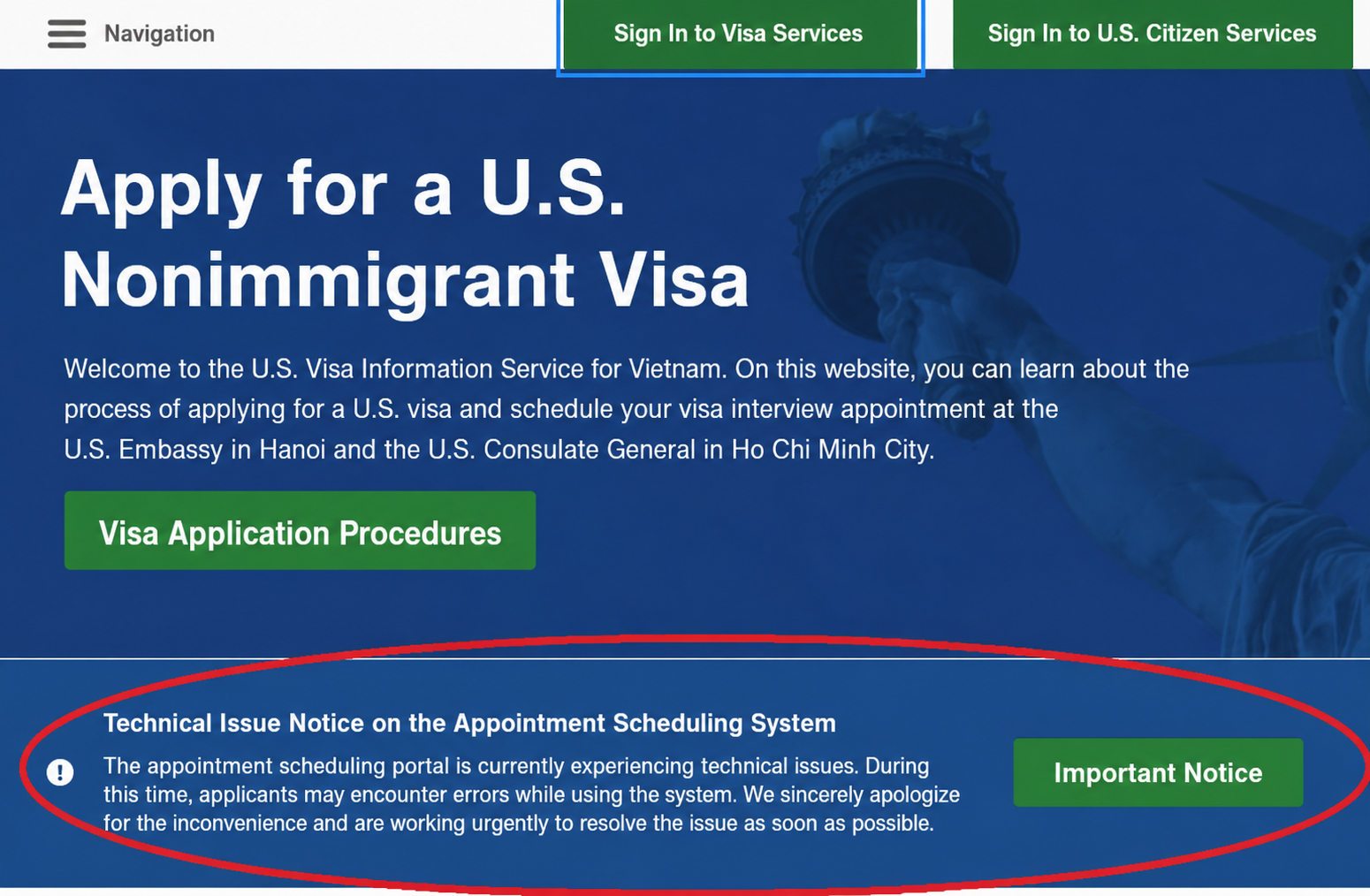
1. “Access Limitation Warning” Error – Account Freeze or Temporary Lock
Issue:
The system displays an error message and does not allow the applicant to log in or continue rescheduling the interview appointment.
Possible causes:
This error may occur when the applicant logs in and out too many times within the same day, or repeatedly refreshes the page in an attempt to look for available appointment slots. The system may automatically detect this behavior as spam activity or potential use of automated tools/bots, resulting in a temporary account lock.
Recommended solution:
Applicants should not continue attempting to log in repeatedly once this error appears. It is recommended to clear the browser history, cache, and cookies, or switch to another browser or incognito/private browsing mode. In many cases, the best solution is to stop accessing the system and wait for 24 to 48 hours for the account to be automatically unlocked.
2. “Payment Pending” Error – The System Does Not Recognize the MRV Receipt Number
Issue:
Although the applicant has successfully paid the visa application fee, the scheduling system still shows the payment as pending or displays an error stating that the receipt number does not match.
Possible causes:
The system may need time to synchronize payment data from the bank or post office. This process may take several hours or up to 24 working hours. If the payment is made during weekends or public holidays, the processing time may be longer. Another common cause is entering the MRV receipt number incorrectly.
Recommended solution:
Applicants should carefully check every character on the payment receipt to avoid typing errors. It is advisable to wait until the next working day before trying again. Applicants should not make a second payment, as U.S. visa application fees are non-refundable under any circumstances. If the issue remains unresolved after two days, applicants should take a photo of the payment receipt and contact the official customer support center by submitting a support ticket or email inquiry.
3. Mismatch Between the DS-160 Confirmation Page and the Appointment Confirmation
Issue:
The appointment is successfully scheduled, but the DS-160 barcode shown on the Appointment Confirmation does not match the most recent DS-160 confirmation form submitted by the applicant.
Possible causes:
This usually happens when the applicant completes a new DS-160 form after discovering errors in the previous one, but forgets to update the new DS-160 confirmation number in the appointment scheduling system before confirming the interview appointment.
Recommended solution:
The DS-160 confirmation number on the appointment record and the DS-160 confirmation page must match exactly. If the system still allows updates and the applicant has not exceeded the rescheduling limit, the applicant should access the profile section and update the new DS-160 confirmation number.
If the system no longer allows changes, the applicant should bring both the old and new DS-160 confirmation pages to the interview appointment and request assistance from the staff at the Consulate or the designated service area to update the information on-site.
4. System Crash or Blank Screen When Selecting an Appointment Date
Issue:
After completing the information section and successfully entering the payment details, the applicant reaches the appointment calendar page, but the website keeps loading, shows an error message, or displays a blank screen.
Possible causes:
During peak seasons, especially from May to August, a large number of applicants may access the system at the same time to search for available appointments for study, travel, or other purposes. This high traffic may overload the system server.
Recommended solution:
Applicants should try accessing the system during off-peak hours, such as early morning from 5:00 AM to 7:00 AM, or late at night after 11:00 PM. It is also recommended to use a stable high-speed internet connection, preferably a wired connection, instead of an unstable Wi-Fi network.
5. Loss of Rescheduling Permission Due to Exceeding the Reschedule Limit
Issue:
The reschedule button is no longer visible, or the system notifies the applicant that they no longer have permission to change the appointment date.
Possible causes:
In many cases, applicants are allowed to reschedule their interview appointment only a limited number of times without paying a new MRV fee. Some applicants, due to urgency or the desire to secure an earlier slot, reschedule repeatedly whenever they see a better appointment date, which may result in the loss of rescheduling privileges.
Recommended solution:
Applicants should plan carefully before selecting the “Reschedule” option. If the rescheduling limit has been exceeded, the applicant may need to wait for the required period or pay a new MRV fee in order to regain the ability to schedule another appointment.
If you are experiencing complicated system errors or do not have time to monitor available appointment slots, please contact 68 Solutions for professional support. Our experienced team can assist with technical issues and help optimize your U.S. visa interview appointment schedule as efficiently as possible.